
 admin
admin I have a contact record with a role option set field with options Billing, Decision Maker, Client, Influencer.
The Requirement is to only show billing contacts i.e. contacts with role billing related to the account selected on the Opportunity in the lookup of the contacts on the Opportunities.
Let’s see how I to filtered the contacts lookup to just show billing contacts :
Step 1: Create a contacts view such that the role is billing(or any field on which you want to filter is set to the value by which you want to filter that record ).
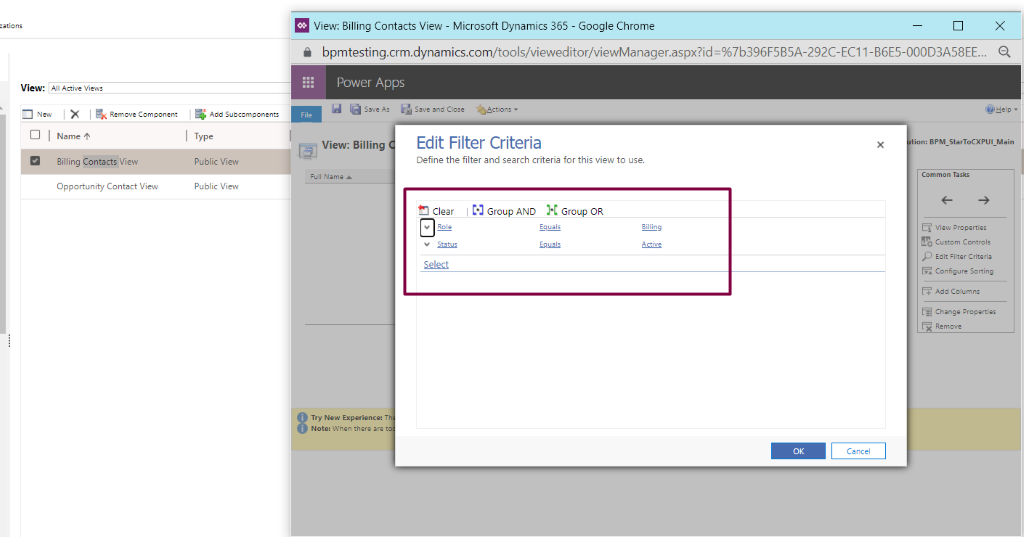
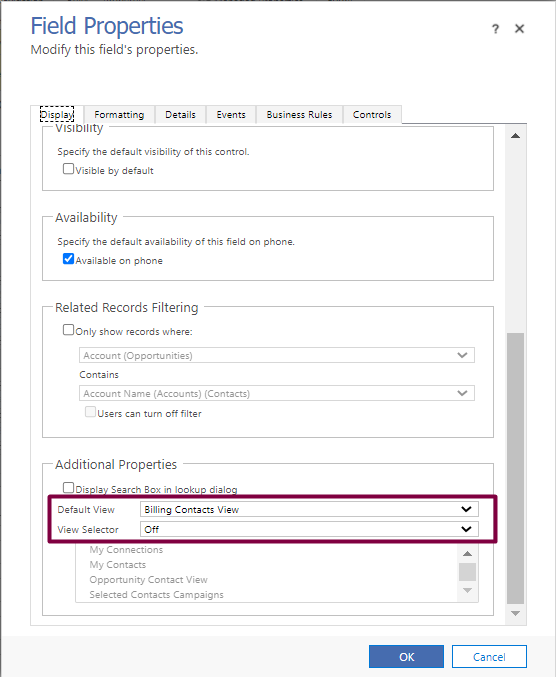
Step 2: Set the filter criteria of the contacts lookup field on the opportunity as shown below.
- In the Additional properties turn of the view selector and set the default view to the view you created in #1Step 1
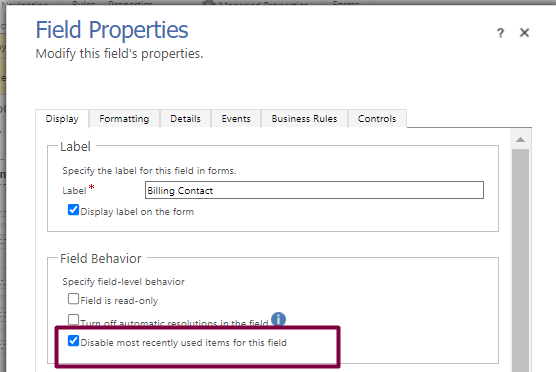
- In the Field Behavior Tick the “disable most recently used items for this field”.
Now you will only see contacts with role billing in the lookup of the contacts on the opportunity form.
Hope this helps!
[vc_row][vc_column][vc_cta h2=”We are happy to help!” css=”.vc_custom_1678760946443{margin-top: 10px !important;margin-bottom: 10px !important;}”]If you need technical support for your projects simply reach us at contact@bizsoft.com.sg or fill out the form below and we’ll be in touch shortly.[/vc_cta][/vc_column][/vc_row][vc_row][vc_column][dt_contact_form fields=”name,email,telephone,message” required=”name,email,message” terms=”y” terms_msg=”QnklMjB1c2luZyUyMHRoaXMlMjBmb3JtJTIweW91JTIwYWdyZWUlMjB3aXRoJTIwdGhlJTIwc3RvcmFnZSUyMGFuZCUyMGhhbmRsaW5nJTIwb2YlMjB5b3VyJTIwZGF0YSUyMGJ5JTIwdGhpcyUyMHdlYnNpdGUu”][/vc_column][/vc_row]